|
-
December 10th, 2003, 02:30 PM
#1
Banned

 Originally Posted by geoscomp
The bios setting is to enable or disable checking for those resources..to see if such cards are installed..they need to interface differently with the processor/memory
OK, if you look at post #2 I mentioned MDA and supplied a link.
Which cards include &/or would benefit from this?
Going back to the link I provided makes it look more like >net:
OMG Model Driven Architecture
 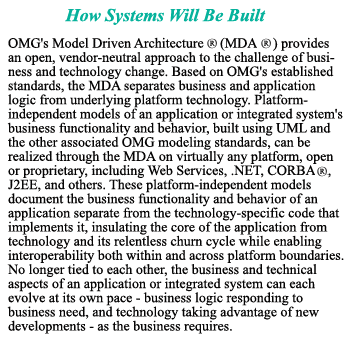
* Key standards that make up the MDA suite of standards include Unified Modeling Language (UML); Meta-Object Facility (MOF); XML Meta-Data Interchange (XMI); and Common Warehouse Meta-model (CWM
-
December 10th, 2003, 03:24 PM
#2
Registered User

Sorry..I mispoke..what i get for trying to do two things at once..talking to a customer and typing..anyway..what I should have said was mechanical design automation..one card certified to work with these processes that I have used is a 3dlabs wildcat4..an ISV certified card that works well for digital content creators as well as CAD users. I'm pretty sure the Nvidia Quadro FX3000G is certified for dcc and mda cad as well.
back to the question though..it does no harm to have this turned on in the bios, since all it does is search for such capability in the card..and function in the appropriate manner if it finds it. can't hurt..might help
very pretty picture btw
Last edited by geoscomp; December 10th, 2003 at 03:32 PM.
-
December 10th, 2003, 03:48 PM
#3
Banned
I was gonna reply to you but noticed the edited post and this does make the most sense.
BUT, now we have three different meanings for MDA, anyone for a fourth?
(And know I don't mean Muscular Dystrophy Assoc)
Geez, whoever does this in the PC industry needs to be controlled.
I elect confus-ed for the post of Acronym Administrator.
Check this out from Acronym Finder:
What does mda stand for?
Your search returned 61 meanings (Most Common meaning(s) listed first)
-
December 10th, 2003, 04:06 PM
#4
Registered User

The manual says "This setting is to Enable or Disable MDA" Options are Enable or Disable...
This is the only setting left that I can even guess that is causing me problems I have tried every thing else. Changed every part... CPU, Mainboard. Mem HD's Video Card 4 times, Power Supply reinstalled windows 3 times... Whats left for me to do ??? is there a compatablity issue with AMD 64 and VIA Chipsets and Radeons ??
Last edited by Escape_Driver; December 10th, 2003 at 04:36 PM.
-
December 11th, 2003, 11:35 AM
#5
Intel Mod

I don't know if it's your exact problem, but folk here:
http://www.icronticforums.com/showth...5&pagenumber=2
have been having problems with menu text in NFS Underground with ATI cards. Reported solving them by using omegadrivers, or in the Direct3D properties, setting both Texture Preference and MIP Map Detail Level to maximum.
And I think the Search for MDA Resources option would normally be for Monochrome Display Adaptor, to tell the AGP bridge whether to search on the PCI/(ISA if present) bus to see if it needs to map the memory space of a possible monochrome secondary display adaptor.
Last edited by Platypus; December 11th, 2003 at 11:49 AM.
 Posting Permissions
- You may not post new threads
- You may not post replies
- You may not post attachments
- You may not edit your posts
-
Forum Rules
|
|



 Reply With Quote


Bookmarks